Object explorer
Servers and databases
Add server registers a Firebird server: host, port, user, password, optional role, connection character set and wire encryption. Tick Save password to keep it in the data directory; otherwise fbadmin asks for it once per session.
Under a server, right-click to register an existing database (by path or alias), create a new one (page size, default character set) or open the server log and server information. Dropping a database asks for confirmation.
Browsing objects
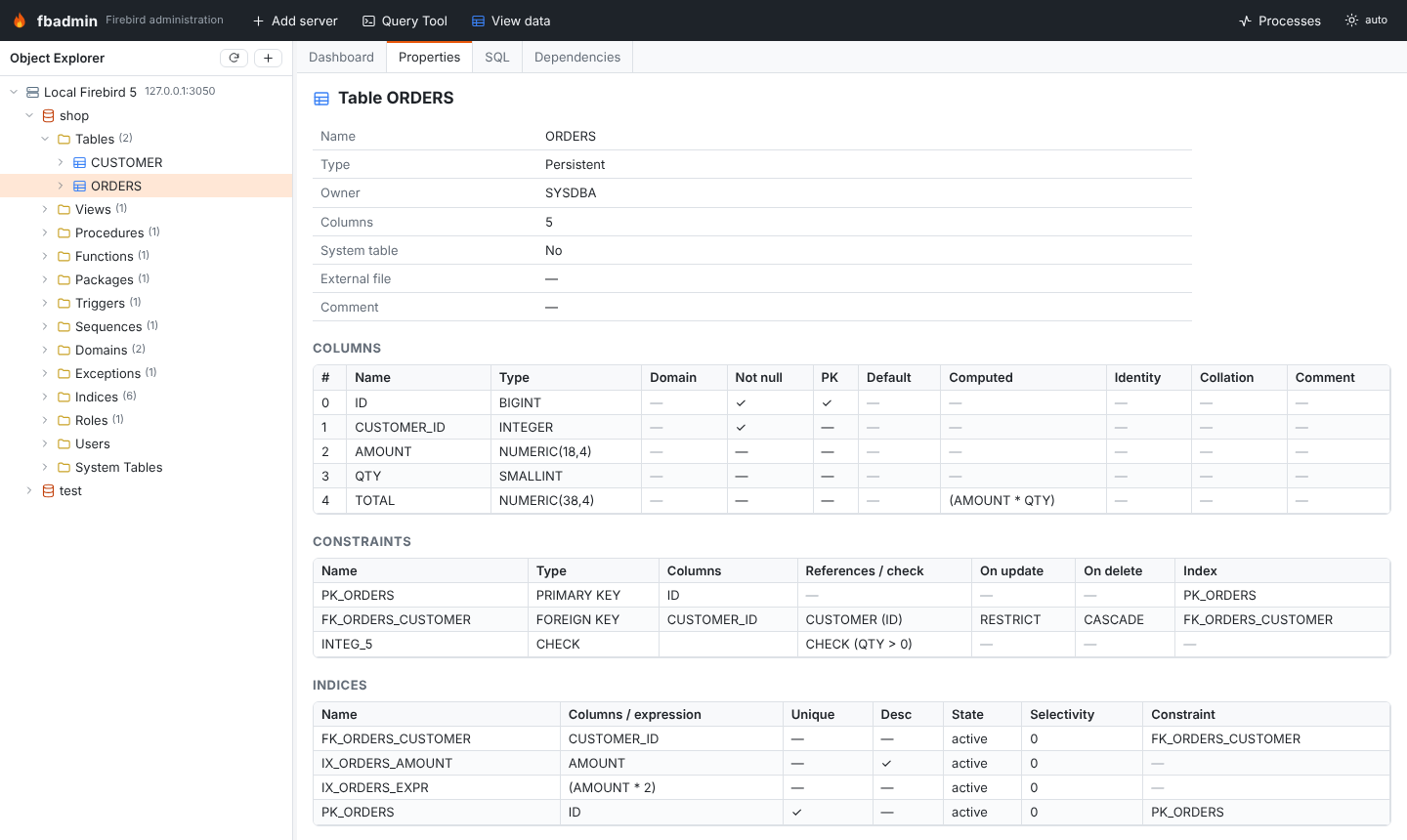
Expanding a database shows a folder per object type with the number of objects: tables, views, procedures, functions, packages, triggers, sequences, domains, exceptions, indices, roles, users and system tables. Objects load lazily; tables and views can be expanded further to their columns (key icon = primary key).
Selecting an object fills the fixed tabs:
- Properties: columns (type, domain, identity, computed, collation, default, nullability), constraints (primary/unique/foreign keys with rules, checks), indices (selectivity, expression, partial), triggers, parameters and comments.
- SQL: re-creatable DDL of the object. Open in Query Tool copies it to an editor. The DDL is round-trip tested: extracted, replayed into an empty database and extracted again on every CI run, also with randomly generated schemas.
- Dependencies: "depends on" and "used by" (from
RDB$DEPENDENCIES); click a name to jump to it.
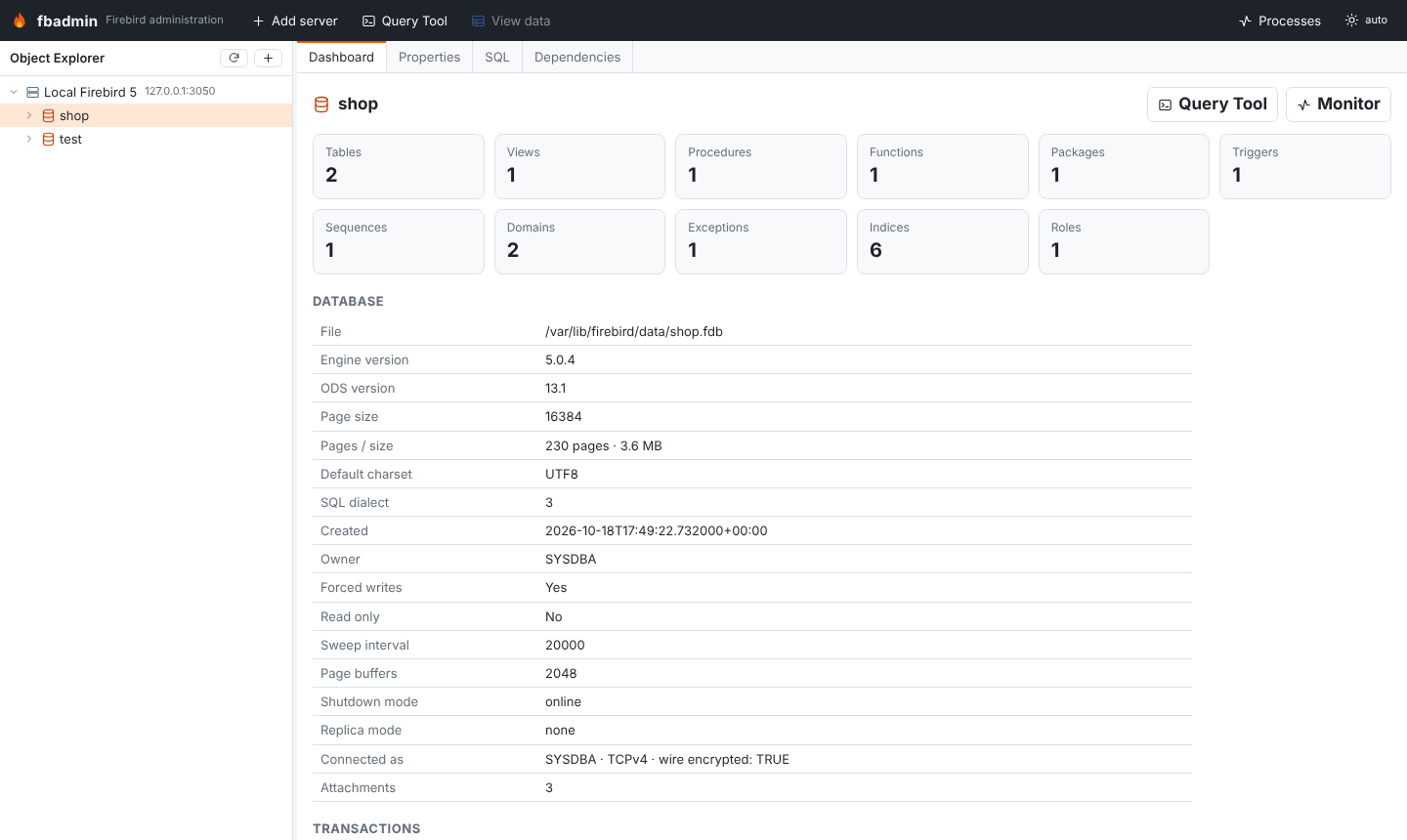
Database dashboard
Selecting a database shows its header (ODS, page size, size, dialect, character set, forced writes, sweep interval, replica mode), the transaction counters (OIT, OAT, OST, next transaction, with a warning when the gap grows) and the number of objects per type.