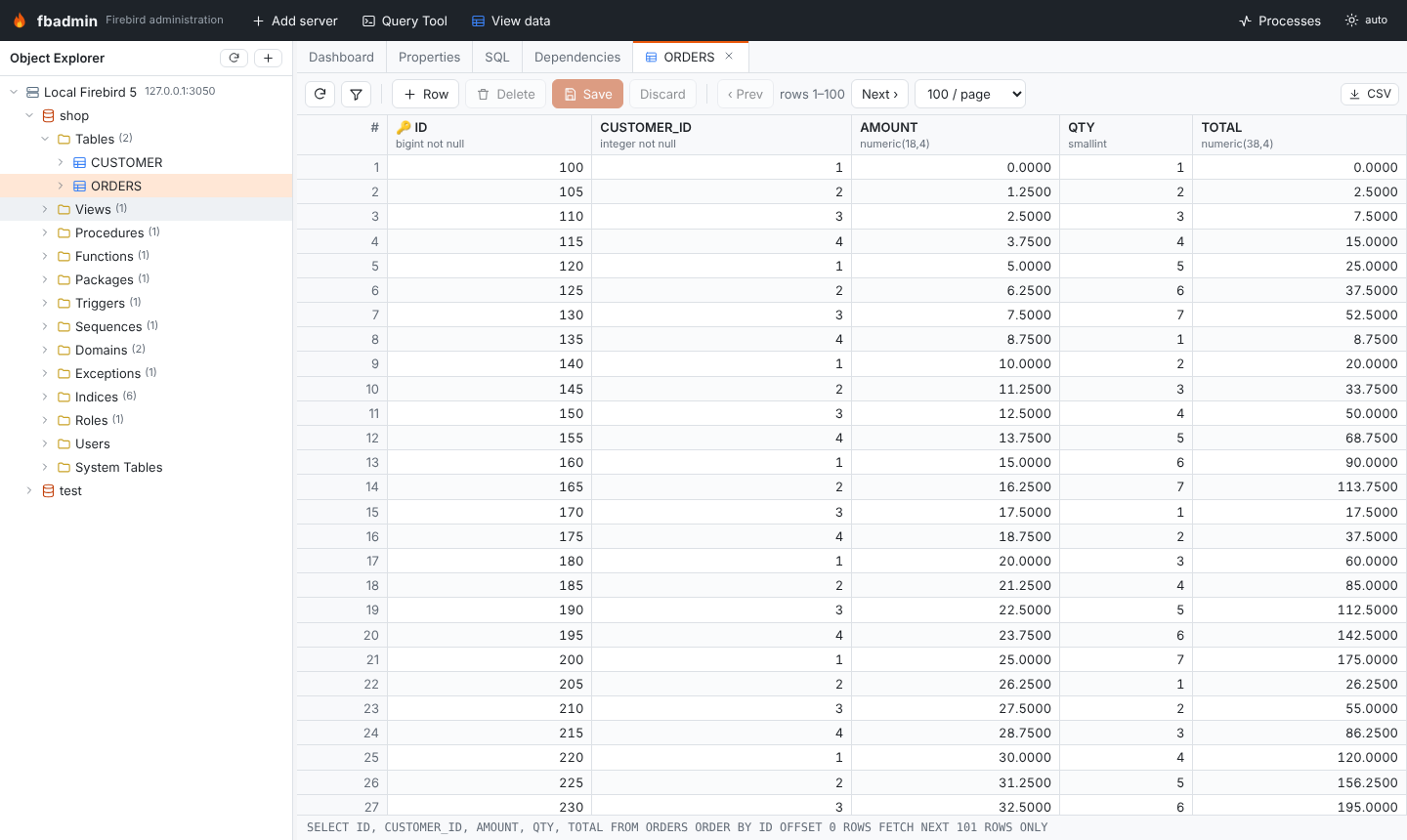
Data grid
Select a table or view and press View data (or use the context menu) to open its rows in a tab.
- Paging: Prev/Next, 50 to 5000 rows per page.
- Sorting: click a column header (ascending, descending, off).
- Filtering: the funnel button opens a
WHEREbox, e.g.NAME LIKE 'A%' AND ID > 10. - Export: CSV of the visible page.
Editing
Tables are editable; views and system tables are read-only.
- Double-click a cell, type the new value and press Enter (Esc cancels). The ∅ button sets NULL.
- + Row adds a row (columns with defaults or identities can stay empty); the trash button marks the selected row for deletion.
- Save applies all changes in one transaction, Discard reloads the page.
Rows are identified by their primary key. A table without one is edited by
RDB$DB_KEY, which is only stable within one session's view of the data, so fbadmin
shows a warning.