Monitoring and maintenance
Monitor
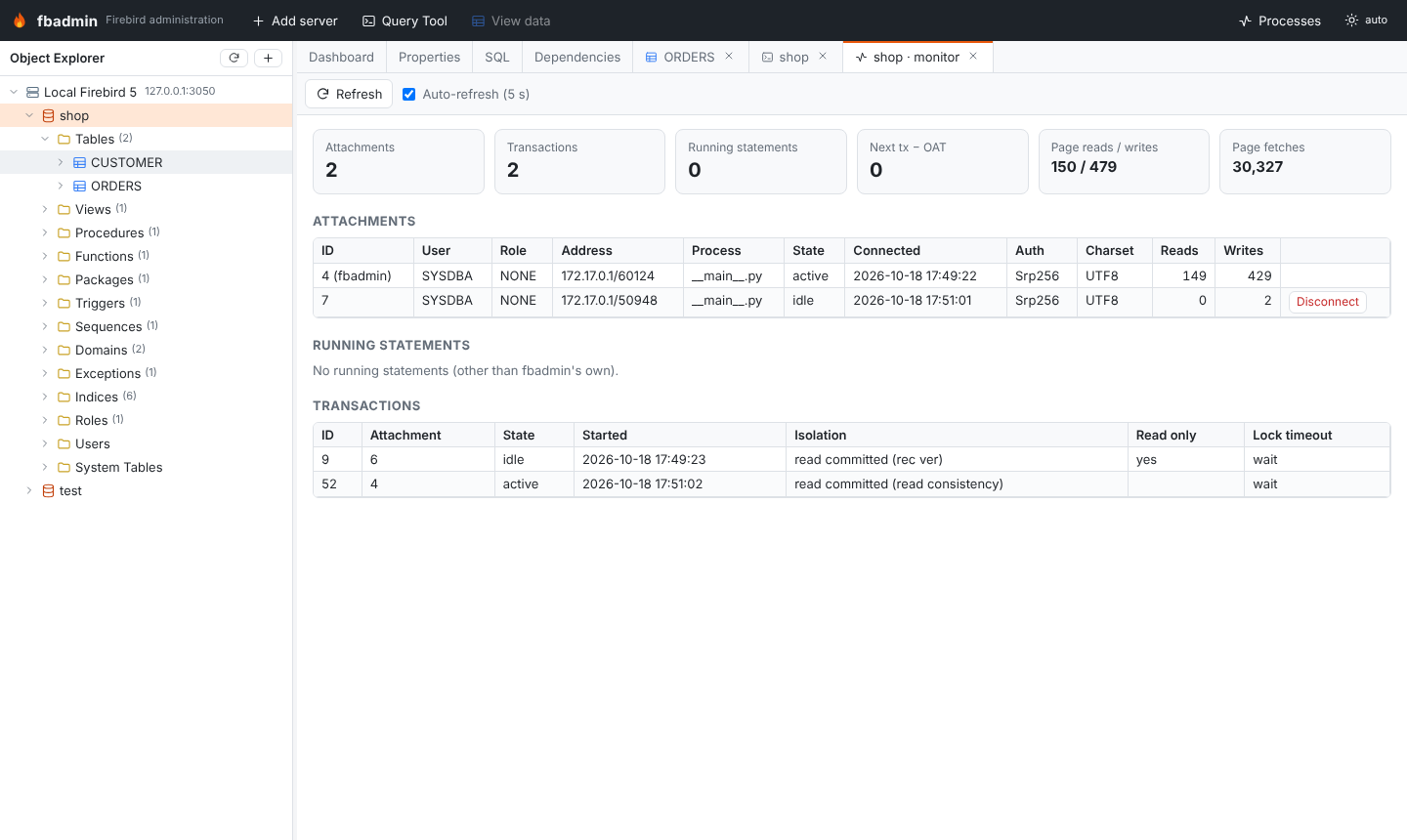
Right-click a database → Monitor opens a live view of the MON$ tables:
attachments (user, remote address, process, character set), running statements with
their text and elapsed time, transactions, and I/O statistics. From there you can
disconnect an attachment or cancel a running statement. The view refreshes
periodically while its tab is visible.
Maintenance
These run through the Services API as background Processes (toolbar button, with a badge while something runs) with a live log:
- Backup and restore (
gbakthrough the service manager); files are paths on the database server. - Sweep.
- Statistics (
gstat, header only or full). - Recompute index selectivity.
The server's firebird.log is available from the server's context menu.